TryHackMe Writeup: Pickle Rick
Writeup for pickle rick room
Room: https://tryhackme.com/room/picklerick
Objective: Find three secret ingredients hidden on the machine.
Scanning
Started with an nmap scan to enumerate open services on the target.
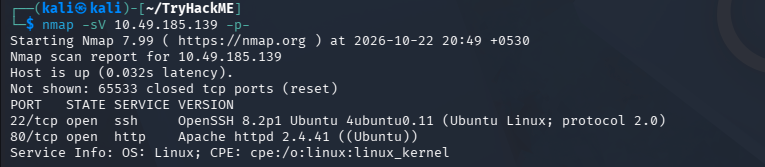
Enumeration
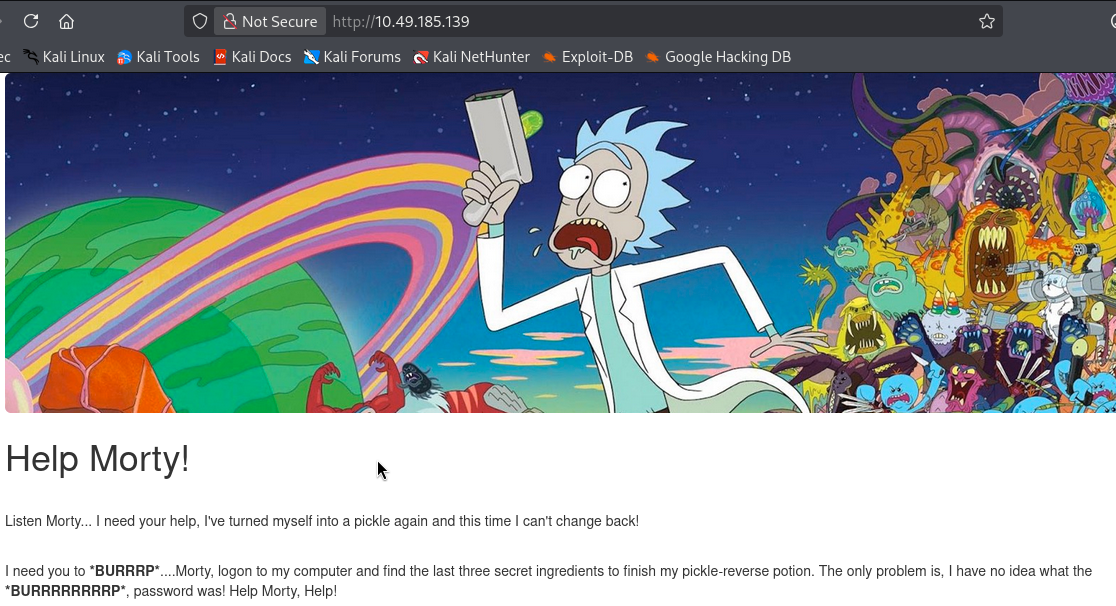
Inspected the web server running on the machine. The page hinted at pickle (possible pickle deserialisation) and the word "reverse" suggesting a reverse shell would be needed later.
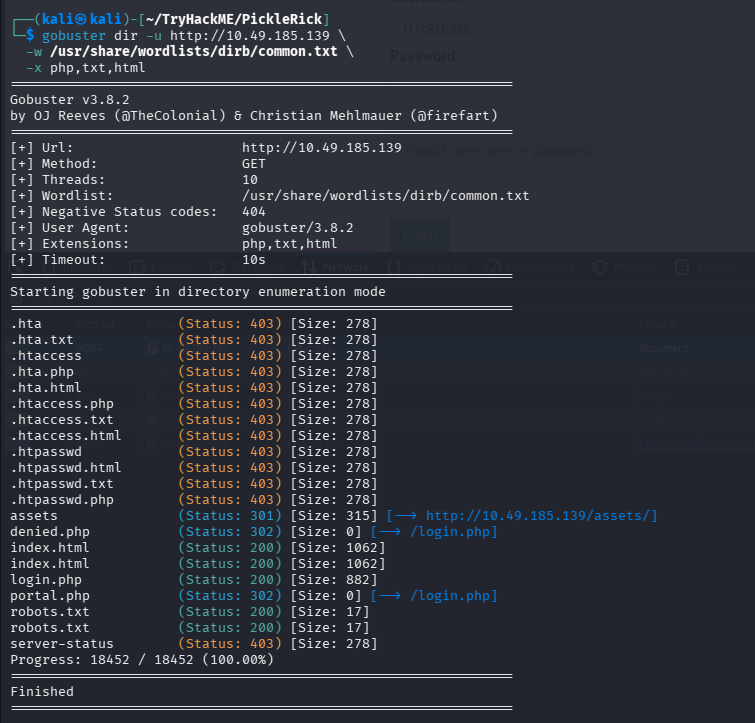
Ran a gobuster scan to discover hidden directories and pages on the web server.
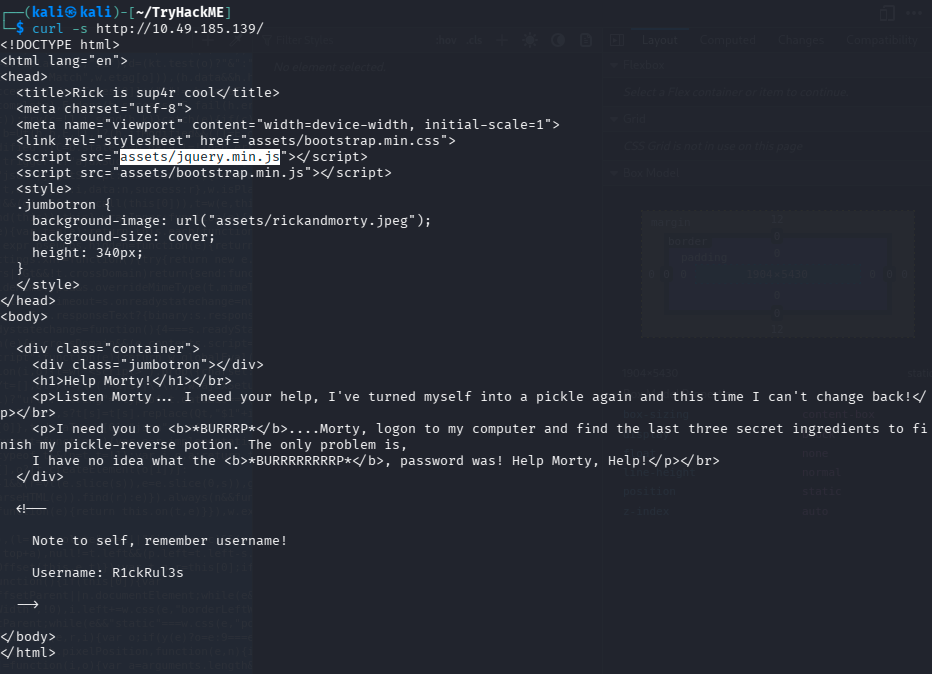
Source code / curl inspection revealed a username embedded in the page:
- Username:
R1ckRul3s
Checking robots.txt returned:
Wubbalubbadubdub
Exploitation
Tried Wubbalubbadubdub as the password for the login panel and it worked.
Command Panel : Ingredient 1
The login led to a command execution panel. Running ls showed the files in the web root, including the first ingredient file.
cat was disabled, but less was not:
less Sup3rS3cretPickl3Ingred.txt
Ingredient 1: mr. meeseek hair
Home Directory : Ingredient 2
Browsing /home/rick/ revealed a file with a space in its name. Used a wildcard to read it:
less /home/rick/*
Alternatively, for files with spaces in their names, wrap the path in single quotes so the shell treats it as one argument.
This gave the second ingredient.
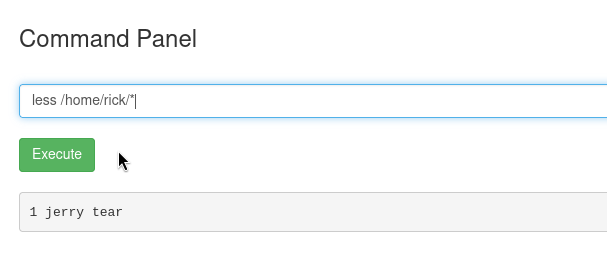
Ingredient 2: 1 jerry tear
Reverse Shell : Ingredient 3
To find the third ingredient (likely in /root), a reverse shell was needed.
Tip: To find your attack box IP from the target machine:
ip route <attack-box-ip>
The output will show your machine's IP in the hop results.
Tried several reverse shell payloads from https://www.revshells.com/ until one worked. Set up a listener and caught the shell.
Checked sudo privileges:
sudo -l
All commands could be run as sudo (no password required). Escalated to root:
sudo su
Then read the third ingredient from /root/3rd.txt
Ingredient 3: fleeb juice

Technically, you don't need a reverse shell here. You can just type sudo -l in the command panel and proceed the same way with the rest. We have tried a reverse shell here just for the sake of the room's theme.
Summary
| Step | Finding |
|---|---|
| Source code inspection | Username: R1ckRul3s |
robots.txt |
Password: Wubbalubbadubdub |
Command panel (less) |
Ingredient 1: mr. meeseek hair |
/home/rick/ |
Ingredient 2 |
Reverse shell + sudo su |
Ingredient 3 (root directory) |
About the author
- From Flaws to Resilience. Build.Break.Secure
Comments
Join the discussionNo comments yet. Be the first to comment.
A beginner's pentesting guide
I know that you guys ask ChatGPT for everything starting from breakfast recipies to everyday tasks and career decisions. But sometimes you go on a trek, and you reach a mountain and you see a bear coming towards you ready to attack. You quickly pull out your phone and open ChatGPT to ask what to do. But alas, you don't have internet connectivity. Game over; You're dead. I don't know how many of you have encountered a bear like that in actual life but if you are reading this you probably (like me) realised you've leased your brain to AI and you're starting to become too dependent on it and you probably should go back to the basics. If so, I welcome thee to my series of blogs on "hacking". Throughout this series, we'll start from the basics of what the hell to do when you are given a pentesting assignment. Sometimes you will encounter definitions, sometimes we'll go through tryhackme rooms together and sometimes, you'll have to do the hard job of setting up stuff (and I'm sure you'll ask ChatGPT to do that but let's try to do that on our own).